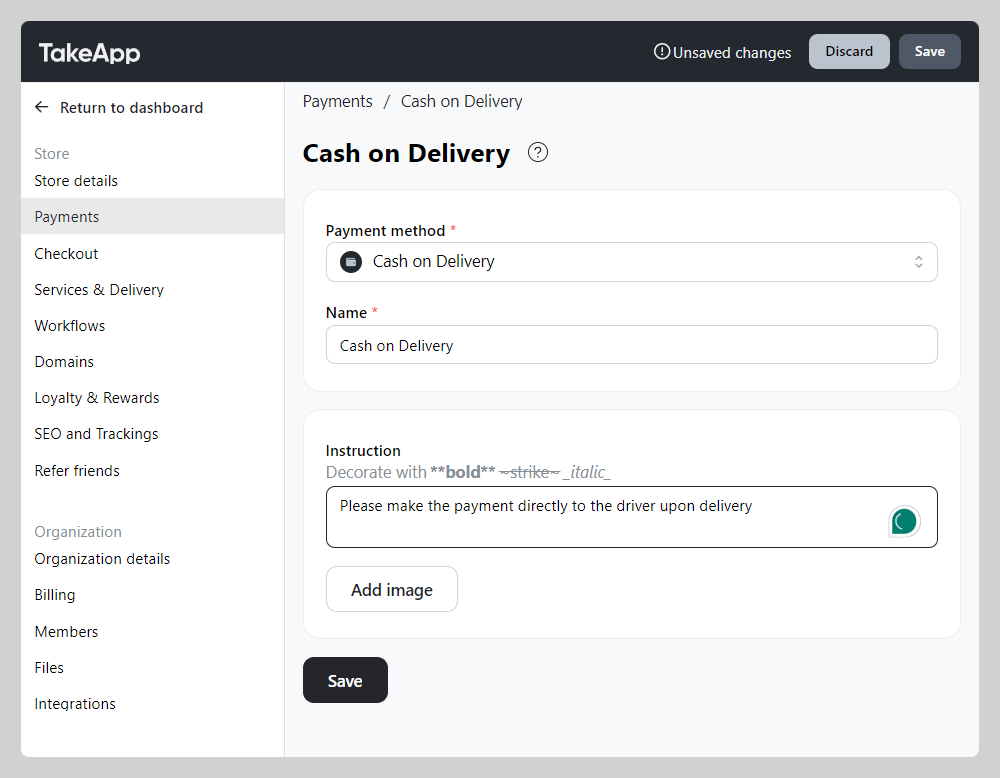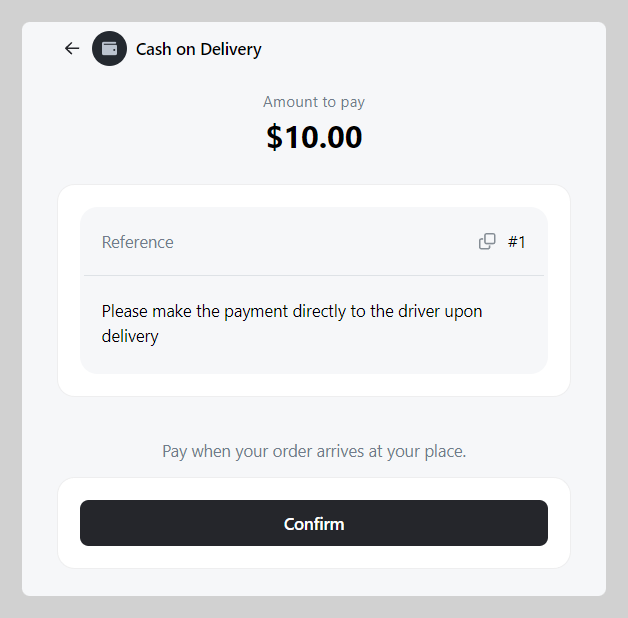
You can add Cash on Delivery as a manual payment option, then arrange payment fulfilment on the spot with your own courier.
How to add cash on delivery as payment method
-
1. Go to Admin > Settings > Payments > Navigate to Manual payment methods and click
+ Add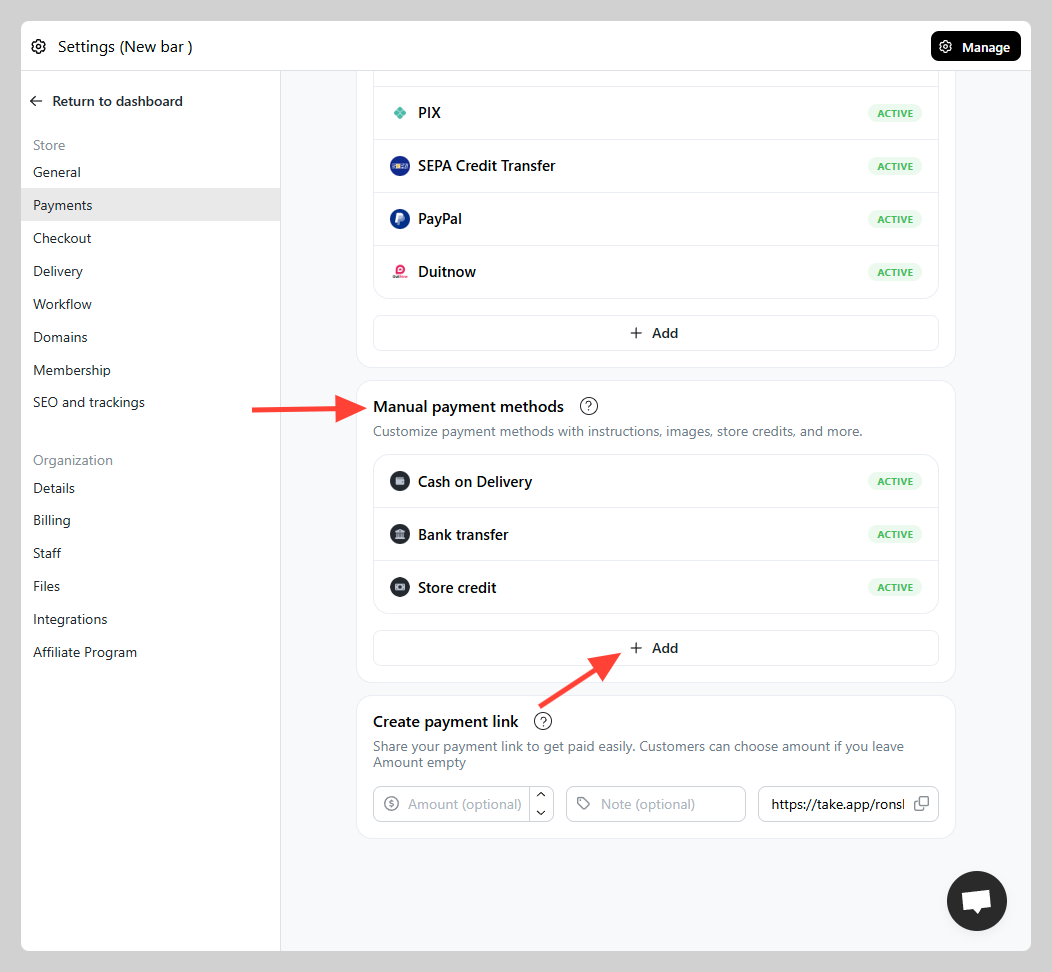
-
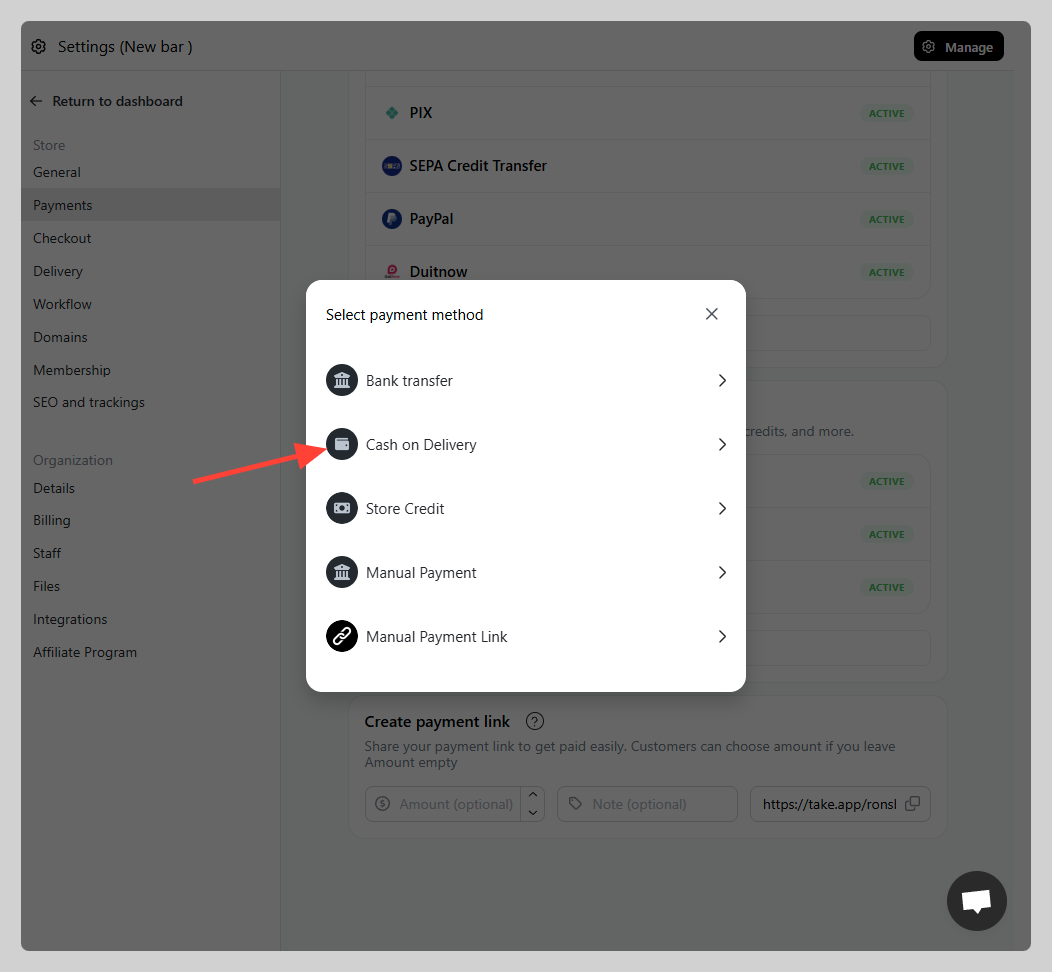
Click on Cash on Delivery
-
You can adjust the name (e.g. COD) and type in the Instruction "e.g. Pay to courier). Click `save`.