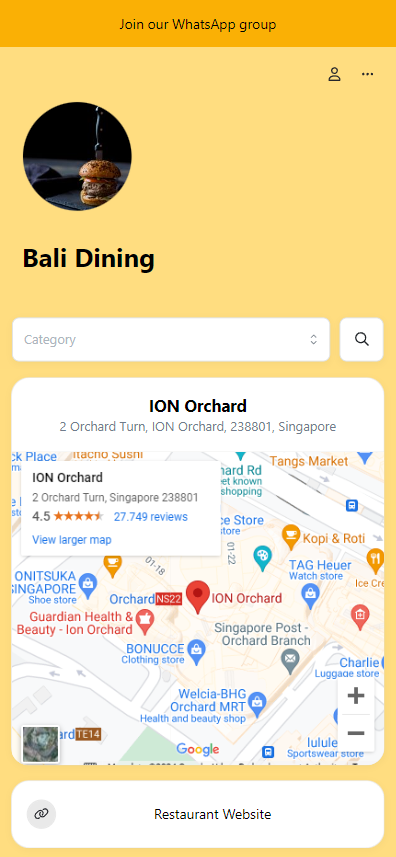
You can show your store location on the storefront by using a map card.
How to add a Map card on the storefront
-
Go to Admin > Website > Storefront and click
Add cardthen choose "Map"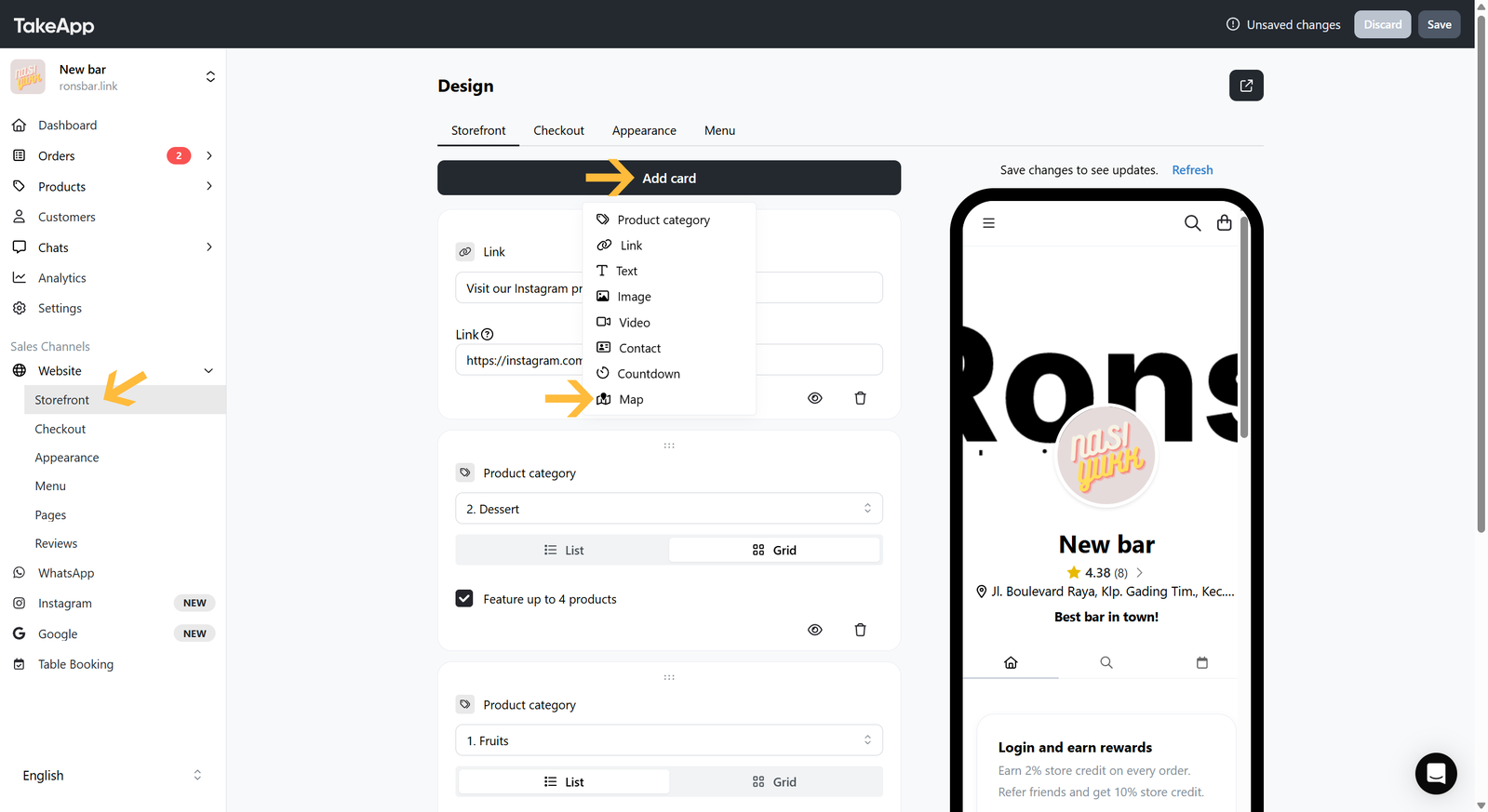
-
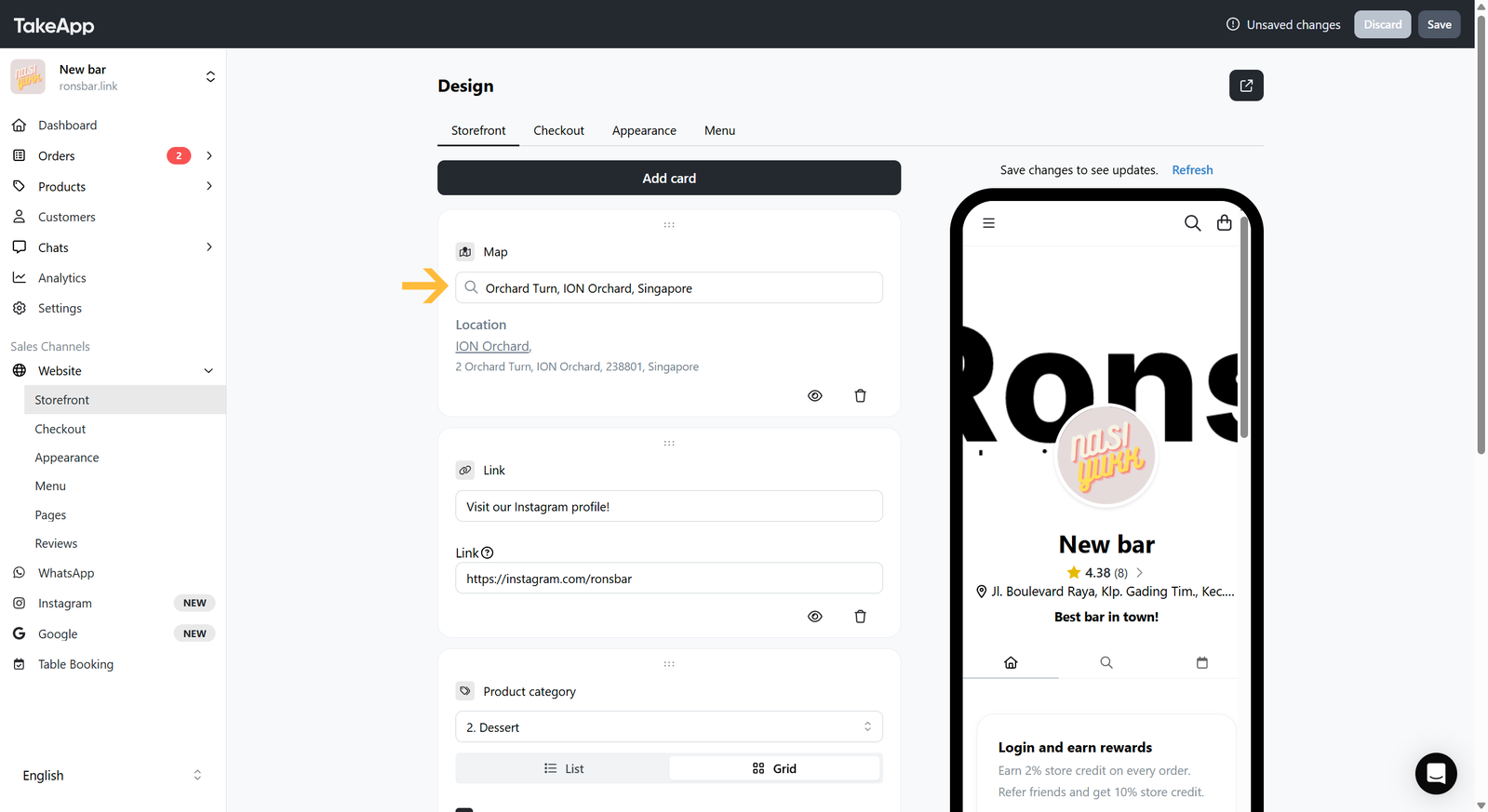
Search the location of your store by typing the complete address on the "Search field"
-
Double-check on your Storefront if the location on the Map card has been shown correctly.